Shared notes and sources for your study group
One person sends a summary, another adds an explanation and a third spots a mistake in the definition. A week later, all three versions are still in the chat. A shared note can give you somewhere to continue working, provided you know what the text is based on and what still needs checking.
The Aria editorial team · 7 min read · For students who share notes, course files and explanations in a study group.
A shared note archive is useful when the group can find both explanations and their sources. Give each note a clear topic, separate extracts from your own wording and record uncertainties. Use the note to explain and check the material yourself; a shared text does not show that everyone understands it.
A place to work, not just a folder to fill
An archive can contain plenty of material and still be awkward to use. If notes are called “new”, “latest” and “final”, you have to open several documents to find the right explanation. Choose names that identify the topic and source instead. That makes returning to a question easier without starting the search again.
Agree on the purpose of the shared text. Perhaps you need one explanation of a difficult concept, a few examples and questions that remain unresolved. You do not need to copy the whole chapter. A short, focused note is often more manageable than a long document where nobody knows which parts have been checked.
Keep personal and shared work distinct too. You can retain your own lecture notes alongside the group’s document. Share only what you intend to make available and agree on where the shared version lives. That way, every new file in the chat need not become a possible replacement for your current working note.
Separate sources from your own interpretations
An extract, your own explanation and a question serve different purposes. Mix them in one paragraph without labels and a tentative interpretation may eventually look like a quotation from the textbook. State where a definition comes from and make it clear when you have used your own words. Page or paragraph references make checking more precise.
- Source material: Identify the relevant file, chapter or page and check that the group can access it.
- Your explanation: Describe the relationship in your own words and add an example.
- Open question: Record what remains unresolved and how you will investigate it.
In a note about correlation and causation, put the definition first with its source. Then explain why an association between two variables does not alone establish that one affects the other. Finish with a question about third variables. This structure is a writing habit you agree on, not a feature that automatically fact-checks the document.
What do you learn from making the note?
Jansen, Lakens and IJsselsteijn’s 2017 review examines both potential benefits and cognitive costs of note-taking. Writing can involve processing material, but can also demand attention while you listen or read. The review describes a complex research field; it does not establish that one digital format or a shared archive is best for everyone.
Kobayashi’s 2006 meta-analysis examines note-taking combined with later review. It is relevant because a note can be something you learn while creating and material you return to afterwards. It does not establish that copying someone else’s text equals understanding it, or that group writing is always better than individual notes.
Use the shared text as a starting point for your own processing. Close it and explain one point using your own example. Chi and colleagues’ 1994 study supports prompted self-explanation during individual reading. It did not investigate shared notes or Aria. Active recall, retrieving material before looking at the answer, can be a practical check afterwards; self-explanation and retrieval are different actions.
Build a shared working note in Aria in four steps
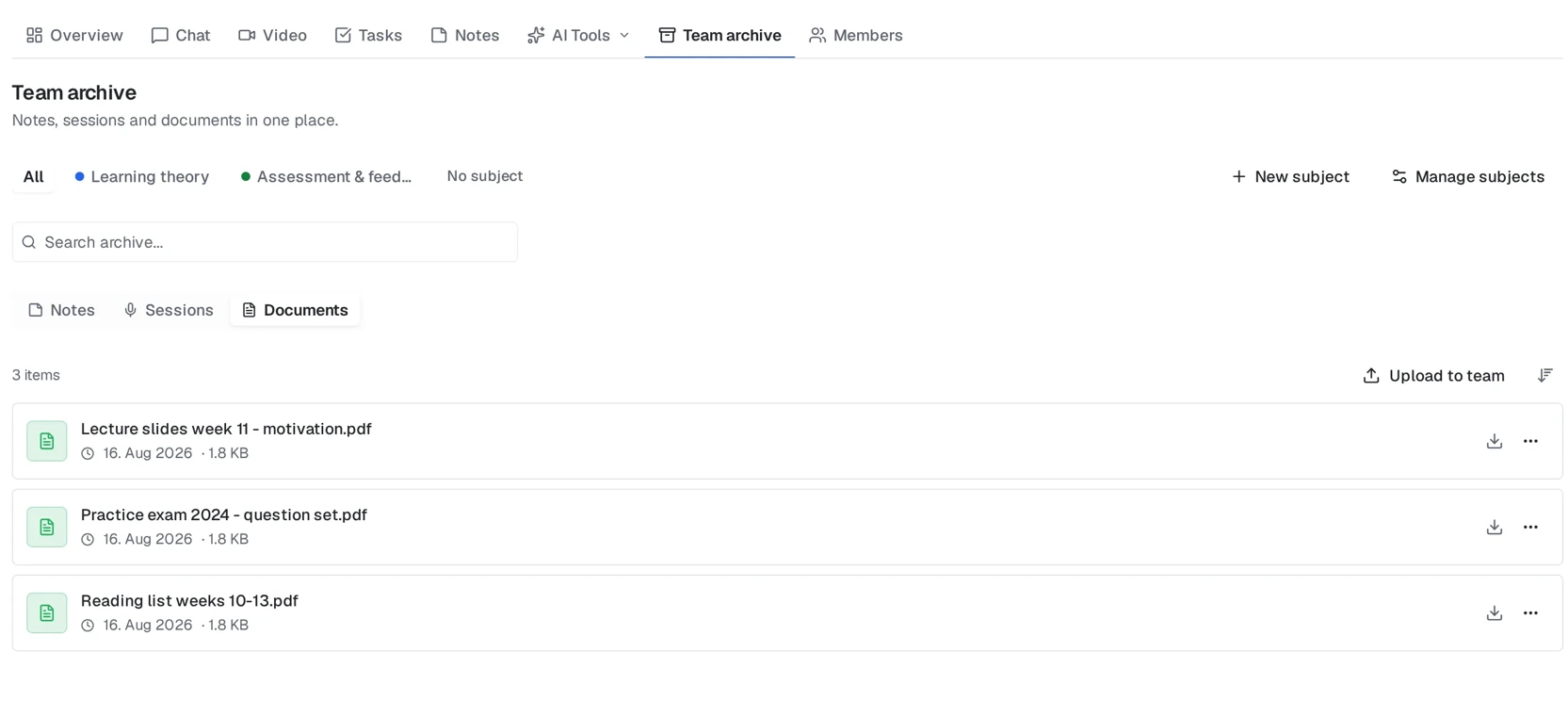
Aria teams have their own notes and an archive for shared material. Use the team’s note workspace for a shared text and deliberately select which files you put in the team. With the necessary editing access, you can work in the team note at the same time. A personal note and a team note are not automatically the same document.
- Open the team and select Notes. Create or open a note with a clear title describing the topic you will work on.
- Find relevant material in the team’s shared files or archive. Write source references in the note and check that participants can open the sources you use.
- Write your explanations, examples and open questions in the shared text. Agree on who works on which sections and check disagreements against the course material.
- Read through the note together. Give unresolved points an owner and a follow-up, then have each person attempt an explanation without the document open.
Make the text possible to check and revisit
Collecting text without clarification
- Paste several summaries without source references.
- Leave different definitions without investigating the difference.
- Send a new file whenever someone makes a correction.
Working in a clear shared text
- Identify the source and separate it from your explanation.
- Investigate differences and record what remains open.
- Agree on which team note the group will continue using.
After correcting something, check the surrounding examples too. If a definition changes, an earlier argument or practice question may still rely on the old wording. Do not assume other documents or question sets update automatically. Instead, record what you have checked and what someone needs to follow up.
Create a question from the note for each person to answer alone. If answers differ, investigate whether the difficulty lies in the wording or the understanding. That is more useful than treating document length or contribution counts as a measure of what the group knows. A completed archive is a resource, not a learning outcome.
Share thoughtfully and keep your own explanations
Before uploading material, check what you are entitled to share. A book file, a patient case or a document containing personal data may have restrictions that do not disappear because the recipients are classmates. Follow your institution’s rules and do not put sensitive material in the team merely to make the work more convenient.
Agree on who the note is for and review access when the group changes. Do not build the archive on the assumption that former members can always open it. If you need a copy for personal use, investigate available export options and the material’s rules before making that a routine.
The aim is not for everyone to write alike. A shared text can provide a checked starting point, while individual examples show what each person understands. When you can locate the source, recognise the limits and explain the point without reading it out, the note has a clear role in your studying.
Do this now
- Give the note a clear topic and agree on the working version.
- Separate source extracts, personal explanations and open questions.
- Check sharing rights and participants’ access to sources.
- Attempt your own explanation after the shared review, without the note.
Frequently asked questions
Are shared notes better than personal notes?
Not necessarily. They can provide a common starting point, but your own explanations and review still matter. These sources do not establish shared notes as best for everyone.
Do personal notes automatically become available to the team?
No. Deliberately choose what to share or write in the team. Do not assume personal and team notes are the same document.
Should we put the entire syllabus in the archive?
No. Choose relevant material and explanations you need, and check your right to share them. References to accessible sources may be more useful than large copies of text.
How can we tell whether a shared note is correct?
Check definitions and reasoning against the course material, identify sources and mark uncertainties. Several people contributing does not, by itself, constitute academic approval.
Sources
- Jansen, Lakens & IJsselsteijn (2017): An integrative review of the cognitive costs and benefits of note-taking
- Kobayashi (2006): Combined Effects of Note-Taking/-Reviewing on Learning and the Enhancement through Interventions: A meta-analytic review
- Chi et al. (1994): Eliciting Self-Explanations Improves Understanding
Give your group’s notes a shared home
Bring selected files together and develop team notes in Aria. Try the service free for 7 days.
Start 7 days free